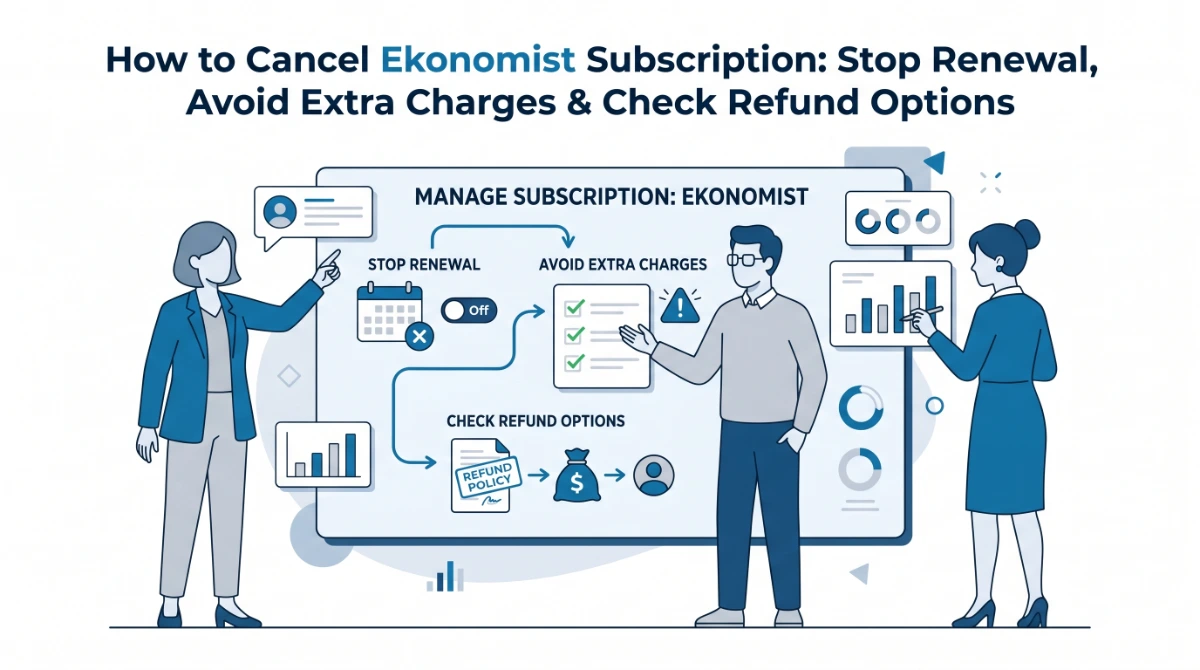
A subscription usually takes one minute to start, but cancelling it can feel like searching for a hidden button. That is exactly why many users search for how to cancel Ekonomist subscription when they notice a renewal date, an app-store charge, or a magazine subscription they no longer want.
Here is the clean answer: the right cancellation method depends on where you purchased it. If you subscribed through The Economist website, use your online account or customer support. If you subscribed through Apple, Google Play, Magzter, or another magazine reseller, you must cancel through that same platform.
Quick Answer: How to Cancel Ekonomist Subscription
To cancel an Ekonomist or Economist subscription, log in to the account where you bought it, open My Account, go to Subscription or Manage subscription, and cancel renewal before the next billing date. If you subscribed through Apple, Google Play, Magzter, or a third-party magazine site, cancel from that platform instead. The Economist’s official help page says subscription management is handled through My Account.
Before You Cancel: Check Where You Subscribed
Before you click anything, identify the payment source. This matters because cancellation does not always happen inside the magazine app.
Check these places first:
- Your email receipt
- Apple subscriptions page
- Google Play subscriptions page
- The Economist / Ekonomist account dashboard
- Magzter account
- Bank or card statement
- Third-party magazine subscription websites
This simple check prevents the most common mistake: cancelling an account login but leaving the actual billing subscription active.
Step-by-Step Guide to Cancel Ekonomist Subscription Online
Step 1: Sign in to the Correct Account
Go to the website or app where your subscription was purchased. Use the same email address that received the purchase confirmation.
If you have more than one email account, search your inbox for terms like:
- “Ekonomist subscription”
- “Economist subscription”
- “renewal”
- “receipt”
- “billing”
- “Magzter”
- “Apple”
- “Google Play”
This helps you find the exact billing platform.
Step 2: Open My Account or Subscription Settings
Once logged in, look for a section named:
- My Account
- Account Settings
- Subscription
- Manage Subscription
- Billing
- Payments & Subscriptions
For direct The Economist subscriptions, the official cancellation help result points users toward My Account and Manage subscription.
Step 3: Choose Cancel, Turn Off Renewal, or Manage Plan
Some platforms use different wording. Instead of “Cancel subscription,” you may see:
- Turn off auto-renewal
- Cancel renewal
- End subscription
- Manage plan
- Stop future billing
Read the confirmation screen carefully. A real cancellation should clearly say that your subscription will not renew after the current billing period.
Step 4: Save Proof of Cancellation
Take a screenshot or save the confirmation email. This is important if you are charged again later.
Keep these details:
- Cancellation date
- Subscription email address
- Last billing date
- Renewal date
- Confirmation number, if shown
- Screenshot of the cancelled status
Step 5: Check Access and Billing Status
After cancelling, you may still have access until the end of the paid period. That does not always mean the cancellation failed.
Check the billing section again. It should show something like:
- “Expires on”
- “Cancelled”
- “No renewal”
- “Subscription ends on”
If it still says “Renews on,” your cancellation may not be complete.
How to Cancel If You Subscribed Through Apple
If your Ekonomist or Economist subscription was purchased on an iPhone or iPad, cancel it from Apple settings.
Steps:
- Open Settings on your iPhone or iPad.
- Tap your name.
- Tap Subscriptions.
- Select the Economist, Ekonomist, Magzter, or related subscription.
- Tap Cancel Subscription.
- Confirm the cancellation.
Apple’s official guidance says iPhone and iPad users can cancel paid subscriptions by going to Settings > Apple ID > Subscriptions, choosing the subscription, and tapping Cancel Subscription.
How to Cancel If You Subscribed Through Google Play
If you subscribed from an Android device, the billing may be connected to Google Play.
Steps:
- Open the Google Play Store.
- Tap your profile icon.
- Go to Payments & subscriptions.
- Tap Subscriptions.
- Select the subscription.
- Tap Cancel subscription.
- Follow the final confirmation steps.
Google’s official support page says subscriptions can be managed from Payments & subscriptions and cancelled from the subscriptions section.
How to Cancel Ekonomist on Magzter
Some users access Ekonomist Magazine digitally through Magzter. Magzter lists Ekonomist magazine and also promotes digital access with cancel-anytime language on its platform.
If you subscribed through Magzter, try this:
- Log in to Magzter.
- Open your account menu.
- Go to Subscriptions or Account.
- Find your active plan.
- Cancel auto-renewal.
- Save the cancellation confirmation.
Magzter’s help result also says users can email support from their registered email address for cancellation assistance, and its Android help result mentions cancelling auto-renewal from the Magzter subscription area.
What If There Is No Cancel Button?
If you cannot see a cancel option, do not assume the subscription is cancelled. Try these fixes:
Use a Desktop Browser
Some cancellation settings are easier to find on desktop than inside the app. Log in from Chrome, Edge, Safari, or Firefox and check the account dashboard.
Check Apple or Google Play
If the subscription is billed through Apple or Google, the cancel button may not appear on the publisher’s website. You must cancel it from the app store billing system.
Contact Official Support
Use only official support links inside your account or official contact pages. Avoid random third-party phone numbers found on low-quality pages, especially pages that repeat numbers unnaturally or claim to be “official” without proof.
Search Your Email Receipt
The receipt usually shows who billed you. If the charge came from Apple, Google, Magzter, or a reseller, that is where cancellation must happen.
Ekonomist Refund Policy: Can You Get Your Money Back?
Refunds depend on your purchase method, country, subscription type, and start date.
For direct The Economist subscriptions started or renewed after 14 April 2025, The Economist Group’s terms state that direct subscriptions are generally non-cancellable and non-refundable during the current term, but users can cancel renewal before the renewal date.
For subscriptions purchased before certain policy changes, older cancellation terms may apply until renewal. The same terms page says some earlier active subscriptions may allow cancellation and, if requested through phone or live chat, a prorated reimbursement for the unused period.
UK and EU users may have statutory cancellation rights within the first 14 days, with any refund adjusted for services already provided.
If the subscription was bought through Apple, Google Play, Magzter, or another third party, refund decisions usually follow that platform’s rules. The Economist Group’s terms state that subscriptions purchased through app providers must be cancelled according to the app provider’s terms and refunds are not handled by The Economist Group for those cancellations.
Common Issues and Fixes
Issue 1: I cancelled but still have access
This is normal. Many subscriptions stay active until the paid period ends. Check whether the page says “expires” instead of “renews.”
Issue 2: I cannot find my subscription
You may be logged into the wrong email, Apple ID, Google account, or Magzter account. Check your receipt and bank statement.
Issue 3: I was charged after cancelling
Find your cancellation proof first. Then contact the billing platform with your screenshot, cancellation date, and receipt.
Issue 4: The app does not show a cancel button
Go to Apple Subscriptions or Google Play Subscriptions. App-store subscriptions are usually cancelled outside the magazine app.
Issue 5: I subscribed through a reseller
Contact the reseller directly. Third-party magazine subscription websites may have their own cancellation and refund process.
Mistakes to Avoid When Cancelling
- Do not delete the app and assume billing has stopped. Deleting an app does not cancel a subscription.
- Do not unsubscribe from emails and assume the paid plan is cancelled. Email unsubscribe only stops marketing messages.
- Do not wait until the renewal date. Cancel at least 24–48 hours before renewal to reduce billing risk.
- Do not trust unofficial phone numbers. Always use the official account dashboard, official help centre, Apple, Google Play, or the reseller where you purchased.
- Do not skip the confirmation screen. A cancellation is not complete until the platform confirms it.
Tips to Avoid Future Subscription Problems
Use one email for all subscriptions so receipts are easy to find.
Add a reminder two or three days before renewal.
Take screenshots when cancelling.
Check your Apple and Google subscriptions once a month.
Review annual subscriptions separately because they are easier to forget.
Use a virtual card or subscription tracker if you manage many paid services.
People Also Ask (Latest FAQs)
How do I cancel Ekonomist subscription quickly?
The fastest way is to log in to the platform where you purchased it, open Subscription or Manage subscription, and cancel renewal. If you paid through Apple or Google Play, cancel it from your device subscription settings.
Can I cancel The Economist subscription online?
Yes, direct subscribers are guided to manage subscriptions through My Account. However, depending on your region, plan, and purchase method, you may need to use live chat, customer support, Apple, Google Play, or a third-party platform.
Will I get a refund after cancelling Ekonomist subscription?
Refunds are not guaranteed. Direct The Economist subscriptions started or renewed after 14 April 2025 are generally non-refundable during the active term, though renewal can be cancelled before the next renewal date.
Why can’t I see my Ekonomist subscription in Apple settings?
It may have been purchased directly from the website, through Google Play, Magzter, or another reseller. Apple only shows subscriptions billed through your Apple ID.
Does deleting the Ekonomist app cancel the subscription?
No. Deleting the app does not cancel billing. You must cancel through the billing platform, such as Apple, Google Play, Magzter, or the publisher’s account page.
How do I stop Ekonomist auto renewal?
Open your subscription settings and choose Cancel renewal, Turn off auto-renewal, or Cancel subscription. Save the confirmation after completing the process.
What should I do if I am charged again?
Collect your receipt, cancellation screenshot, renewal date, and account email. Then contact the billing provider directly. If it was billed by Apple, contact Apple. If it was billed by Google, contact Google Play. If it was billed by Magzter or a reseller, contact that platform.
Conclusion
The safest way to cancel Ekonomist subscription is to follow the money trail. Find where you paid, cancel from that same platform, and save proof. Direct website subscribers should use the account dashboard or official support. Apple and Android users should cancel through Apple Subscriptions or Google Play. Magzter and reseller users must cancel through their own account or support channel.
Once the renewal is turned off and you have confirmation, your subscription should end at the correct date without another automatic charge.
Also Learn for:
How to Cancel Thrive Membership (Step-by-Step)
How to Recover an Activision Account
How to Activate a New Card on TD BANK
Leave a Reply